Introduction
All aspects of modifying the individual members on the recipient list and saving
drafts, previewing messages and actually sending are covered in the previous section
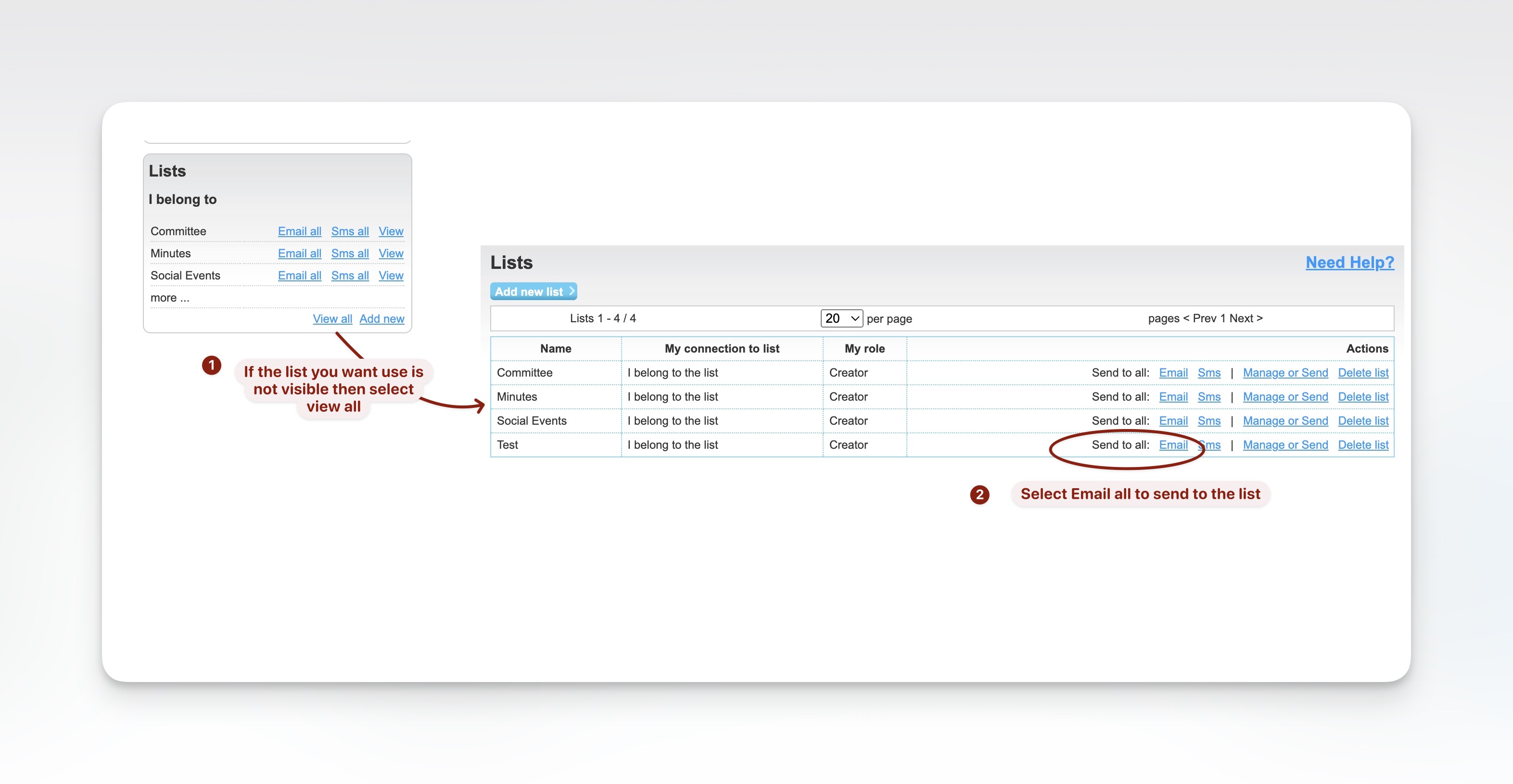
Selecting the List to Use
In the lower half of the left hand column in Admin Home is a block Lists I Belong to
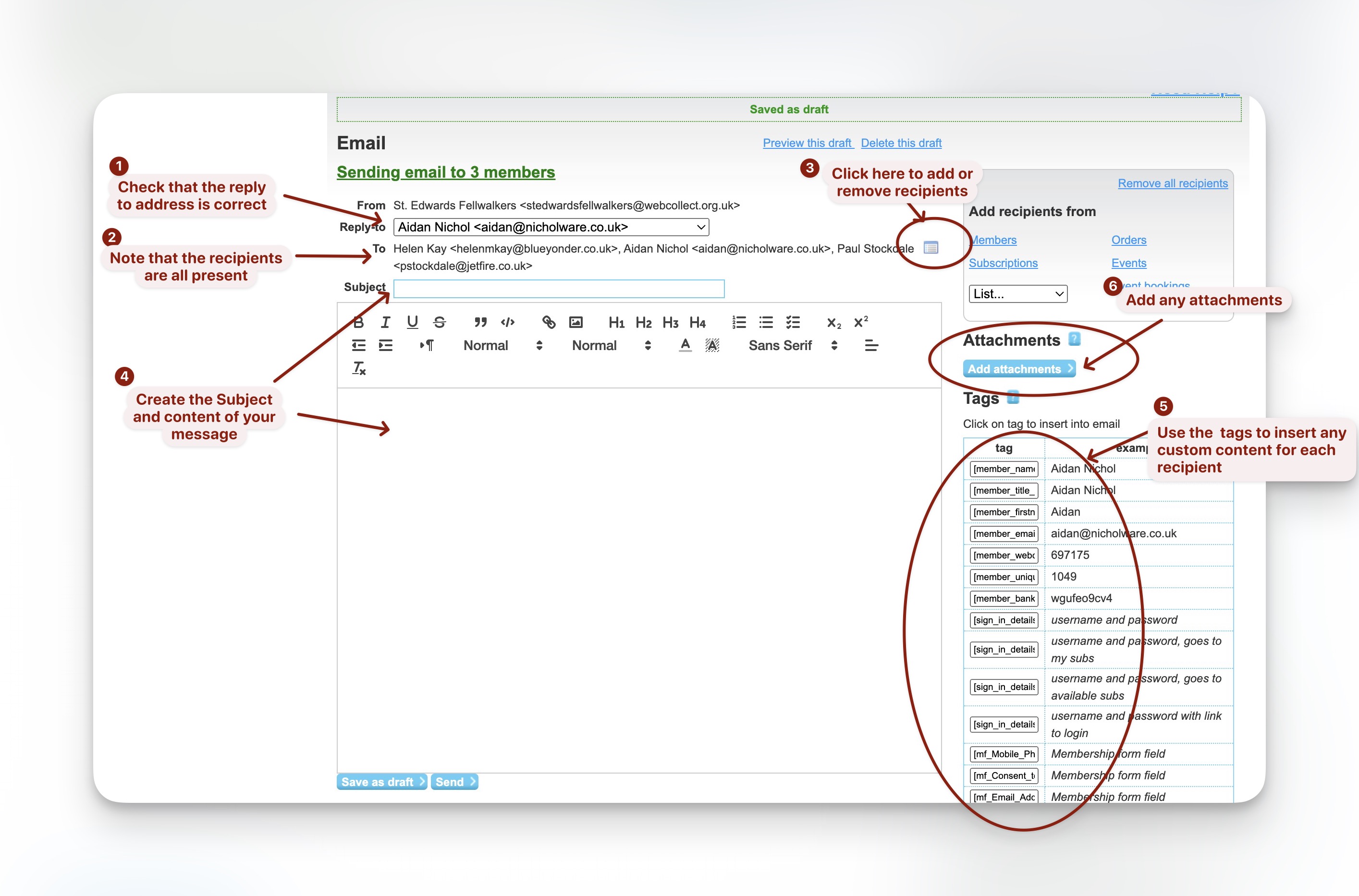
Edit the Message
Create your message and, if necessary, adjust the recipients.
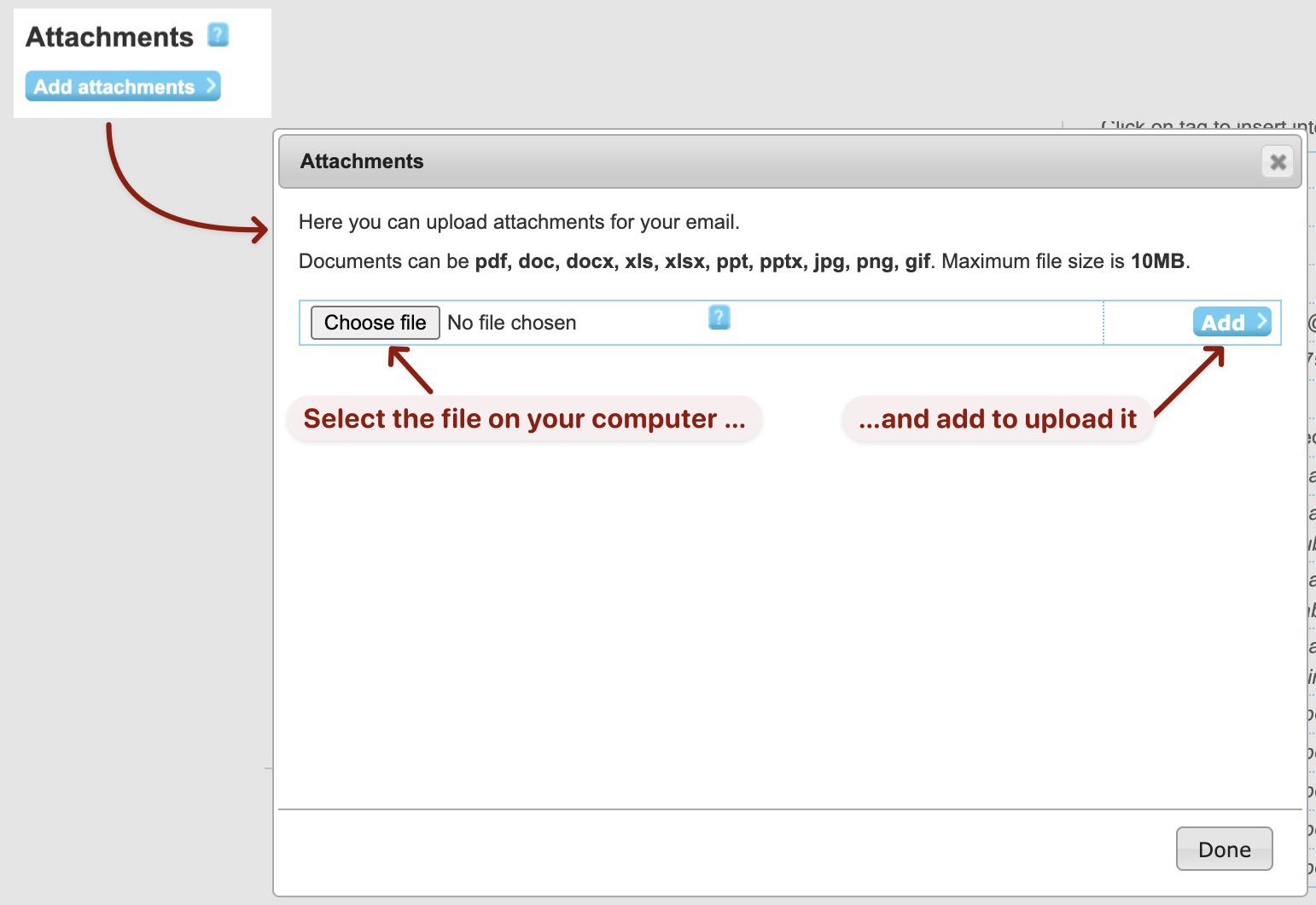
Add Attachments
send
Preview the draft and send.
Reuse an Existing Message
It’s alright to use an existing message as the basis of your message but their are some
extra things to consider when mail lists are involved.
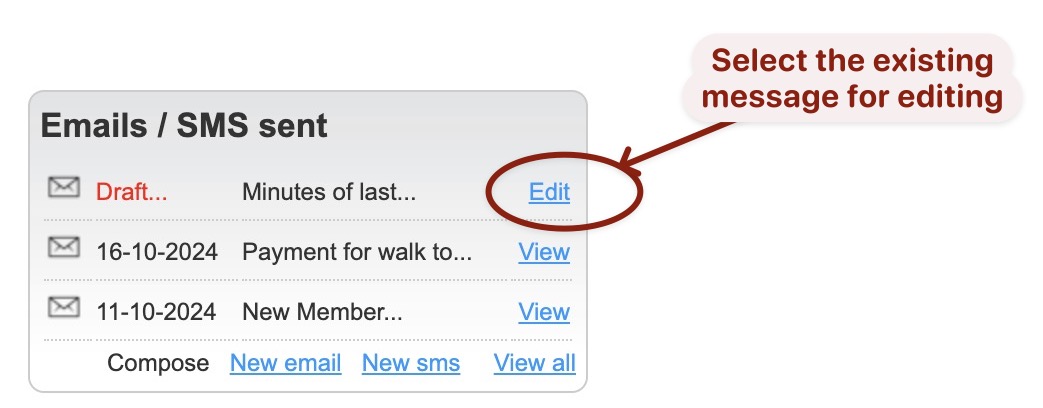
Select message to use
Start by selecting the previous message to be used
Replace Recipients
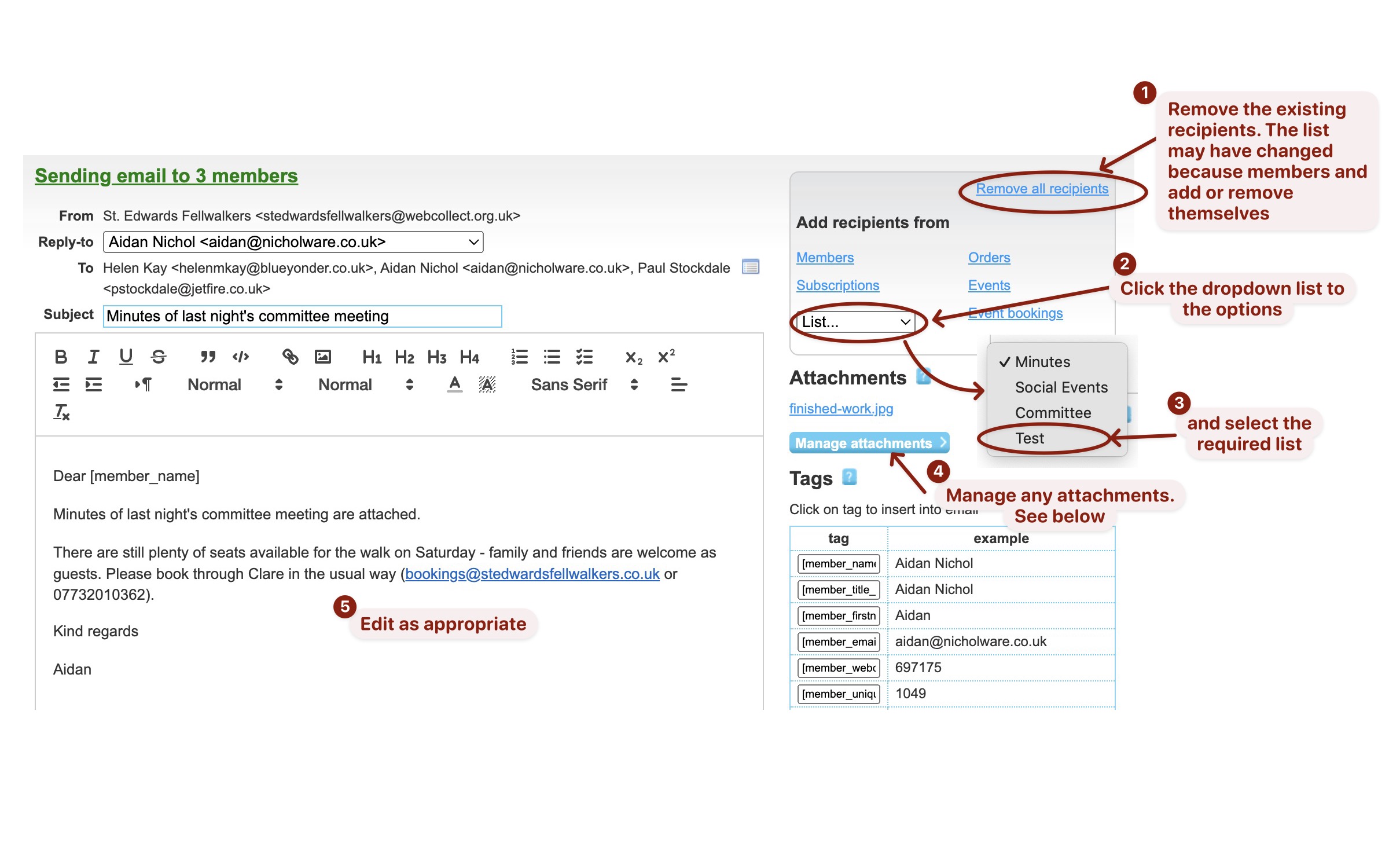
Mail lists are dynamic and members can add or remove themselves so the recipient
must be refreshed by removing the existing ones and re-adding.
replace attachments
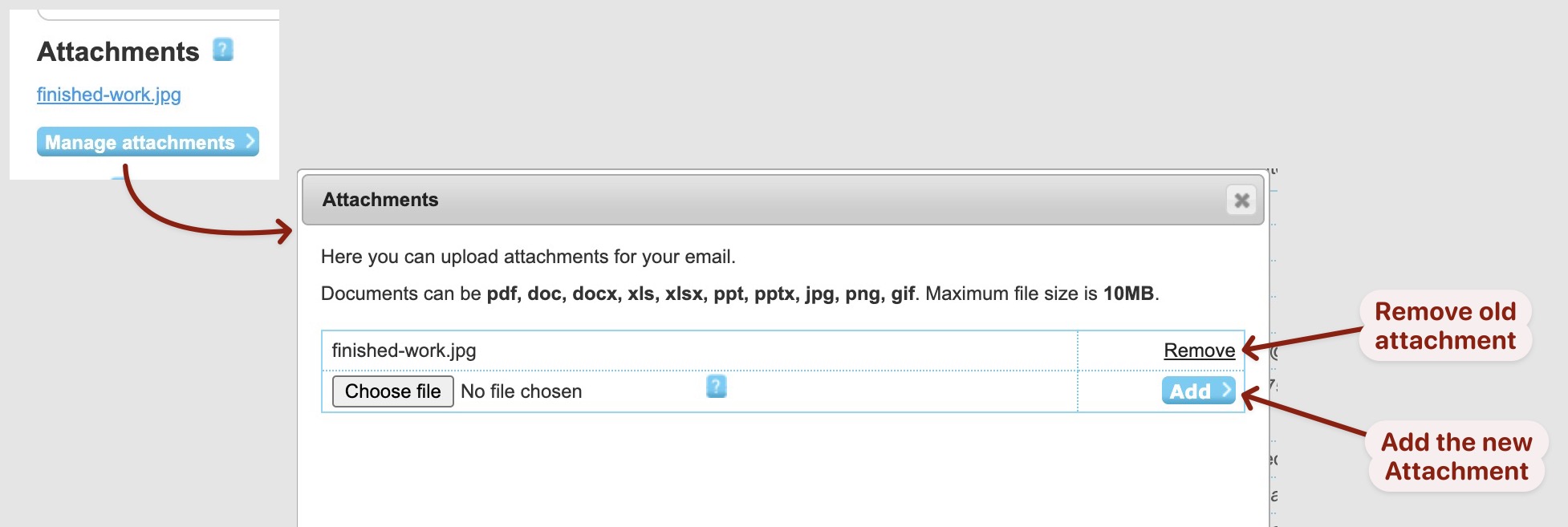
Remove any old attachments from the previous message and add any new ones required.
If the attachment has changed then it must be removed and re-added even though it has the same
name. This is because it has only changed on your local machine and needs be changed on the server.