Cash Orders
Cancelling a cash order is relatively straight forward
Cancelling a Cash Order
- Bring up the order in question
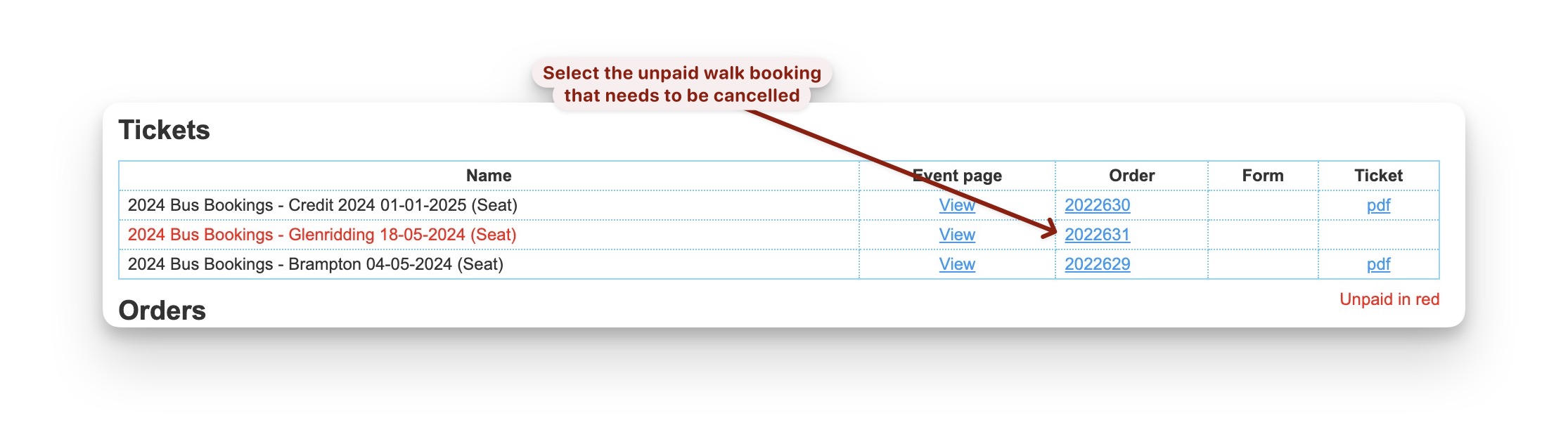
- If there is more than one walk booked on this order and you aren’t cancelling all of them then
stop following these instructions and go to void an item. - Double check it is a cash payment
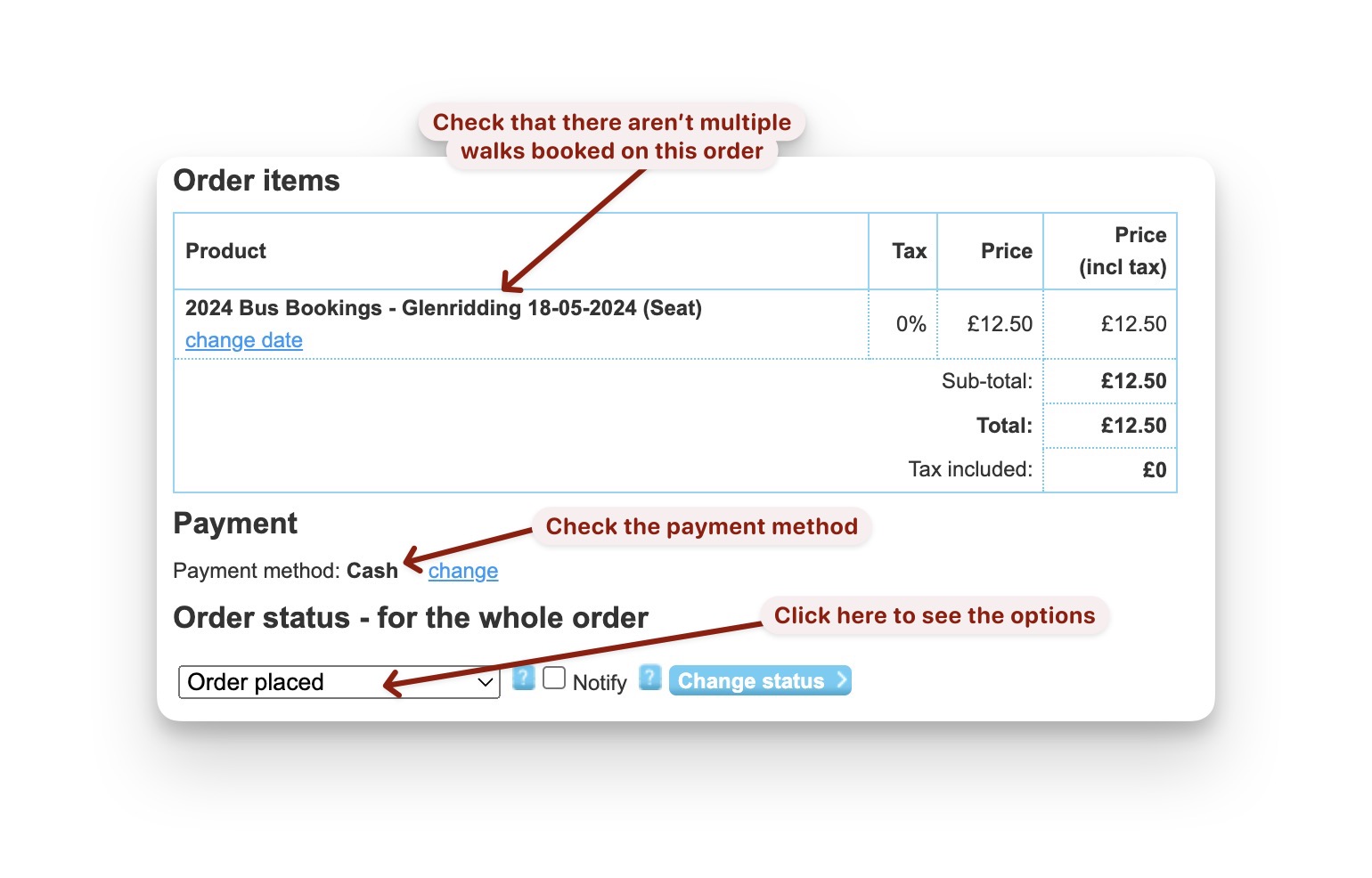
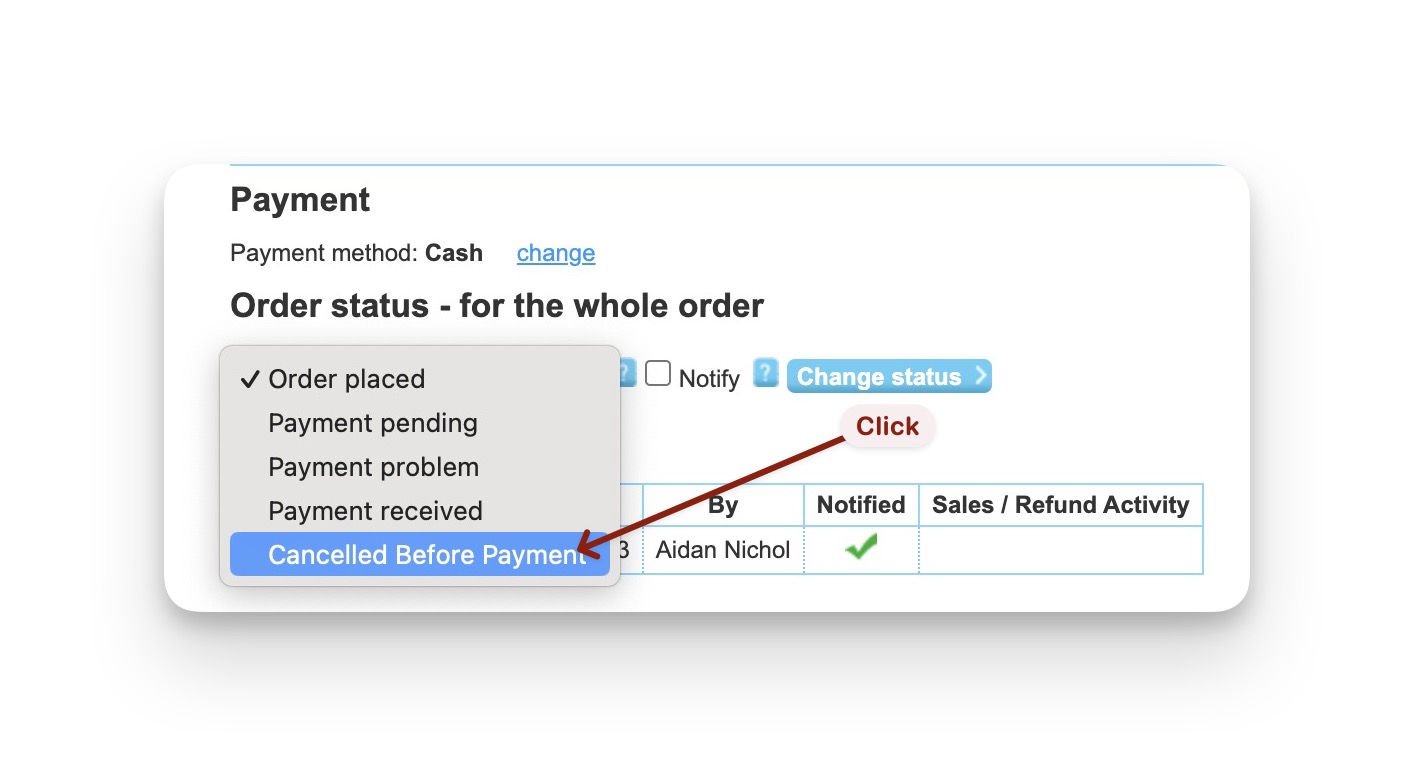
- Click in
Order Placedto see the options and selectCancelled Before Paymentto cancel the order
- click
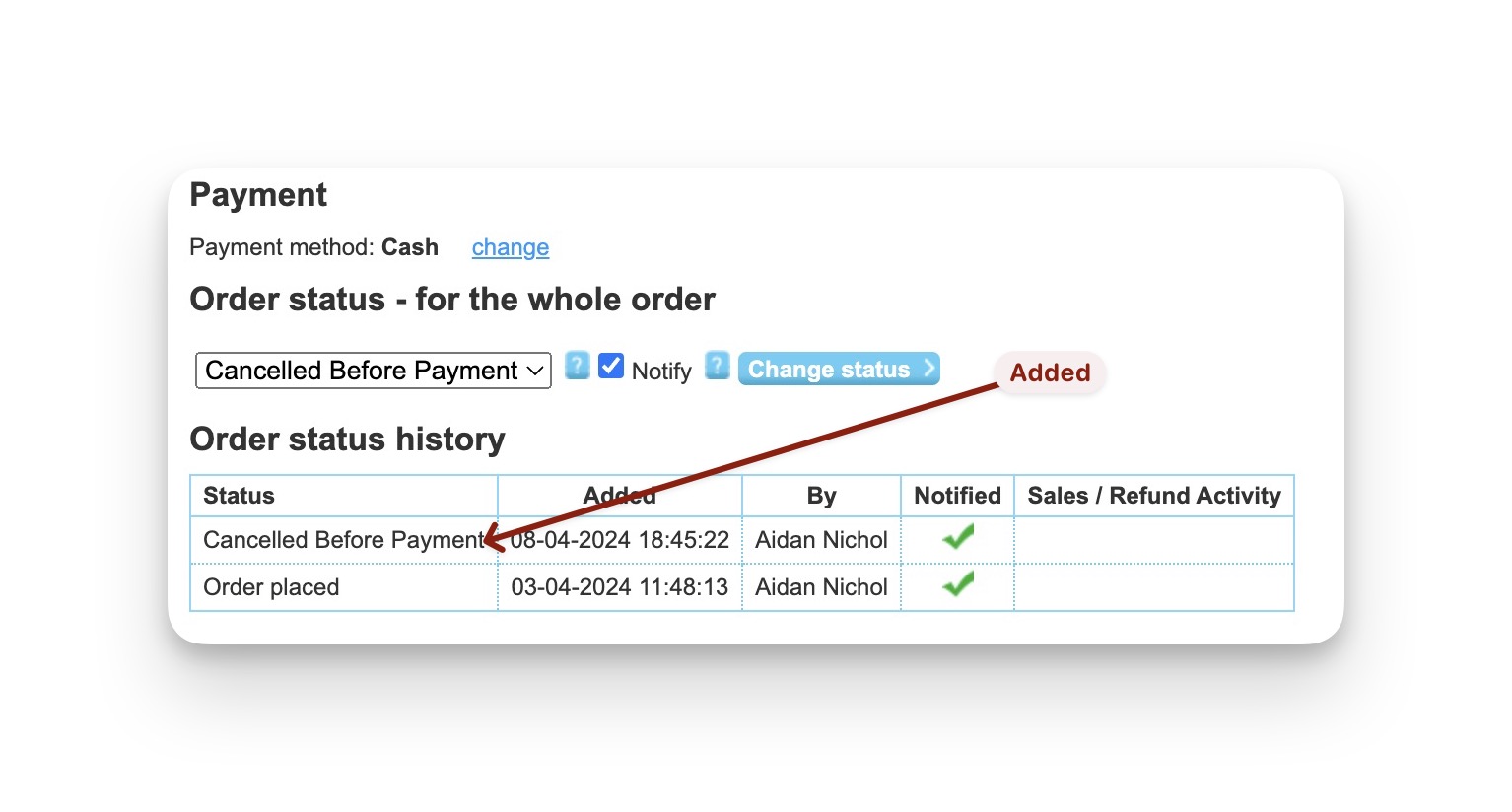
Change statusto confirm the change
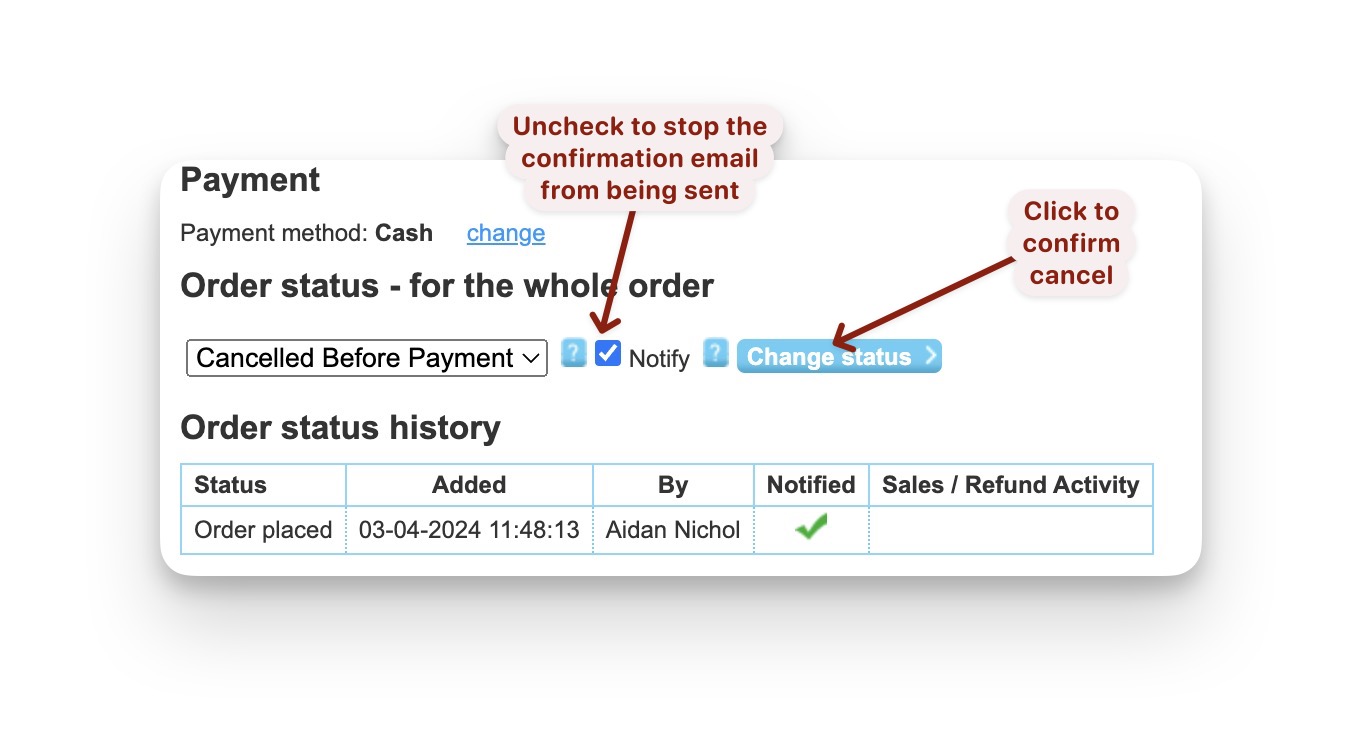
- The Order Status History is automatically updated